Make an invoice. Download the PDF.
Fill in the form, watch the A4 sheet redraw as you type, then export a real vector PDF — four layouts, per-line VAT and discounts, 20 currencies, Latin and Cyrillic. No account, and nothing is uploaded.
One line per row.
PNG, JPEG, WebP or SVG, up to 4 MB. SVG is rasterised in your browser before it goes into the PDF.
One line per row.
Start with one line: what you did, how many, and the price.
Everything here runs in your browser. The invoice, your logo and your client's details are never uploaded — there is no server to upload them to.
| Description | Qty | Unit price | Amount |
|---|---|---|---|
| 1 | €0.00 | €0.00 |
Why InvoiceCanvas
The preview is the file
The sheet on screen and the exported PDF are built from one layout definition, so the margins, column widths and type sizes match. The PDF holds selectable text and vector rules — it is not a screenshot of the page.
Tax and discounts per line
Each line carries its own rate and discount, and an invoice-wide discount is spread across the lines pro-rata so every rate keeps its own taxable base. When two rates meet on one invoice, the sheet prints the per-rate summary the EU expects.
Cyrillic really works
Subsets of Merriweather and PT Sans ship with the page and are embedded into the PDF, so Russian, Ukrainian, Estonian, Polish and German names print as written instead of turning into boxes.
Storage only if you ask
By default the form lives in the tab and disappears when you close it. Turn on “Save this draft on this device” and it is kept in this browser's local storage — never sent anywhere, and one button wipes it again.
About InvoiceCanvas
InvoiceCanvas is a free invoice generator that runs entirely in the browser. You fill in the seller and client blocks, add line items with quantities, unit prices, tax rates and discounts, choose a currency and the language the document should be written in, and a full-size A4 sheet redraws next to the form. When the sheet looks right, the Download PDF button builds the file with pdf-lib: real text, real vector rules, embedded fonts, an embedded logo, and automatic pagination when the lines run past one page. Print goes through the browser's own print dialogue with an A4 page box, so a paper copy matches the PDF.
The tool is aimed at freelancers and small companies who send a handful of invoices a month and would rather not sign up for a subscription to do it. There is no account, no server and no upload: your client list, your bank details and your logo stay in the tab. Drafts exist only if you switch saving on, and then only in this browser's local storage, where an explicit button removes them again. You can also export the whole invoice as a JSON file, keep it with your accounting records and import it later to reuse the same seller block for the next invoice.
Guides & articles
Required fields, VAT arithmetic and payment terms — the parts of invoicing that are easy to get slightly wrong.
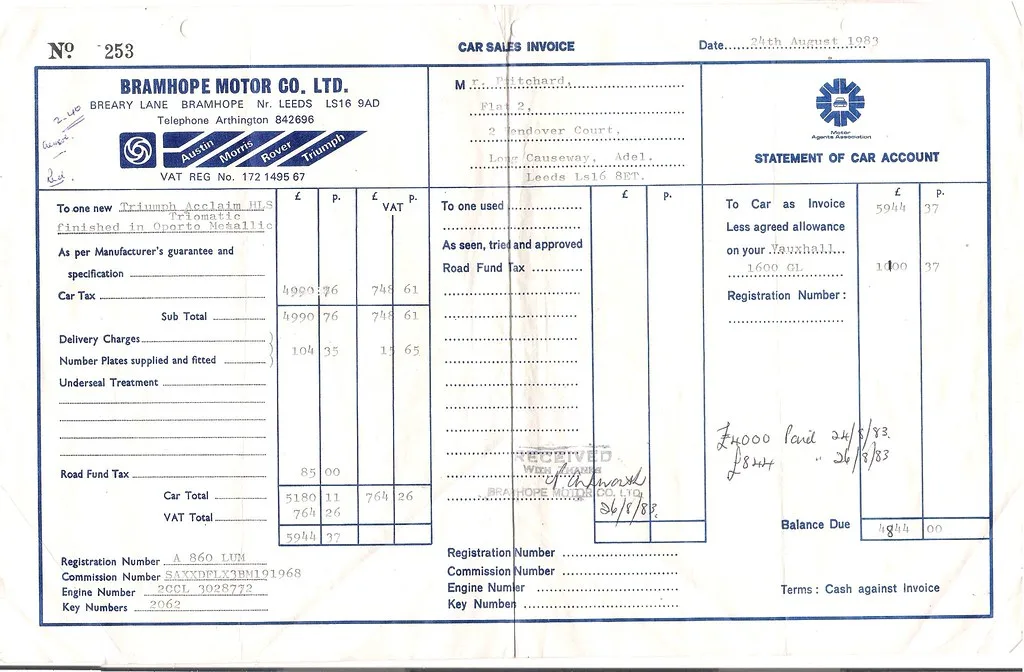
What an invoice must contain: required fields in the EU, UK and US
Every jurisdiction has its own list of particulars an invoice has to carry. Here is what the EU VAT directive asks for, what HMRC expects, why the United States is different, and where mandatory e-invoicing is heading.
VAT, tax-inclusive prices and invoice numbering: the basics freelancers get wrong
Removing 20 % tax is not the same as subtracting 20 %. Rounding per line and per total give different answers. And a gap in your invoice numbers is not illegal, but it will be asked about. The arithmetic, explained once.

Invoicing tips for freelancers: get paid faster without a subscription tool
Late payment is usually a process problem, not a client problem. Clear due dates, payment details that survive a copy-paste, the right wording for late fees, and an archive you can actually search.
Frequently asked questions
Is my invoice uploaded anywhere? Do I need an account?
No to both. InvoiceCanvas is a static page with no backend: the form, the A4 preview and the PDF are all produced by JavaScript running in your tab. Your client's details, your bank account and your logo never travel over the network, because there is no endpoint to send them to. You can confirm it by opening the browser's network panel while you type and export — nothing goes out.
Where are drafts stored, and how do I delete them?
Only in this browser's localStorage, and only after you switch on “Save this draft on this device”. Until then nothing is written at all. Named drafts live in the same place. The “Forget everything on this device” button in the Drafts section removes the working draft, every saved draft and the setting itself in one go; clearing site data in your browser has the same effect.
Will Cyrillic, Estonian or Polish characters survive the PDF export?
Yes. Two typefaces are bundled with the site as subsetted TTF files — Merriweather for the serif layouts and PT Sans for the sans ones — and the one your layout uses is embedded into the PDF with @pdf-lib/fontkit. The subsets cover Latin, Latin Extended-A, Cyrillic and the currency symbols, so Ковалёва, Kõiv, Łukasz and Müller all print correctly. If you paste a script outside that range, such as Chinese or Greek, the tool warns you under the Download button before you export.
Which logo formats can I upload?
PNG and JPEG go into the PDF unchanged. SVG, WebP and GIF are drawn onto a canvas in your browser and re-encoded as a 200-pixel-tall PNG first, because PDF has no native SVG support. The limit is 4 MB. A logo with a transparent background works best, since the sheet is white in both the light and the dark interface theme.
Which currencies are supported, and can the symbol go after the amount?
Twenty: EUR, USD, GBP, CHF, SEK, NOK, DKK, PLN, CZK, HUF, RON, BGN, RUB, UAH, KZT, TRY, CAD, AUD, JPY and INR. Yes — the symbol can sit before or after the number, which is what most European conventions expect. Grouping and decimal marks follow the language you picked for the document, so the same amount prints as €1,234.56 in English and 1 234,56 € in Russian. HUF and JPY are formatted without decimals.
What is the difference between tax-exclusive and tax-inclusive prices?
In exclusive mode the unit price is the net price and tax is added on top, which is the norm for business-to-business invoicing. In inclusive mode the price you type already contains the tax, so the tool divides it out: a €120 line at 20 % becomes €100 net plus €20 tax. The totals block changes accordingly and the sheet prints a line saying that unit prices include tax.
What happens when the invoice has more lines than fit on one page?
The PDF paginates automatically. When the next row would cross the bottom margin, a new A4 page starts with a short “continued” line, the column headers are repeated, and the totals block moves to whichever page has room for it. Every page then gets a “Page n of N” line. In the on-screen preview the sheet simply keeps growing, with a hairline marking where each printed page will end.
Is an invoice made here legally valid?
A PDF invoice is as valid as the information on it. InvoiceCanvas gives you fields for everything a European VAT invoice normally needs — sequential number, issue date, both parties' names, addresses and VAT numbers, a description per line, the taxable amount per rate, the tax amount and the total — but it cannot know your local rules, your VAT status or whether reverse charge applies. Check the requirements for your country, and treat our guides as a starting point rather than tax advice.
Does the invoice number increase by itself?
Only when you have turned local saving on. After a successful export the trailing number is incremented — 2026-014 becomes 2026-015 — and a short line under the button tells you it happened, so the next invoice starts from the right place. With saving off nothing is remembered between visits and you type the number yourself. Any format works; only the digits at the end are touched.